Tags & Private Notes
Two ways to add your own structure to mail without touching the mail itself: tags are short labels you can filter by, private notes are free-text comments only you see. Both live on the IMAP server, so they follow you to every machine, and both have a local copy under ~/.config/neomd/. Configuration ([tags], [tags.<name>], [notes]) is on the configuration page.
Tags
A tag is a label you put on a message, like work, invoice or waiting. There is no fixed set and no hierarchy: you invent the names, and a message can carry any number of them.

- Tags live on the server, not in neomd. Every tag is stored as an IMAP keyword on the message itself (RFC 9051 user flags) — the standard IMAP tagging mechanism, the same one Thunderbird uses for its message tags. Tags survive a reinstall, follow the mail when it is moved between folders, and are visible to any other keyword-aware client on the same account.
- Create tags in the picker. Put the cursor on an email (or mark several with
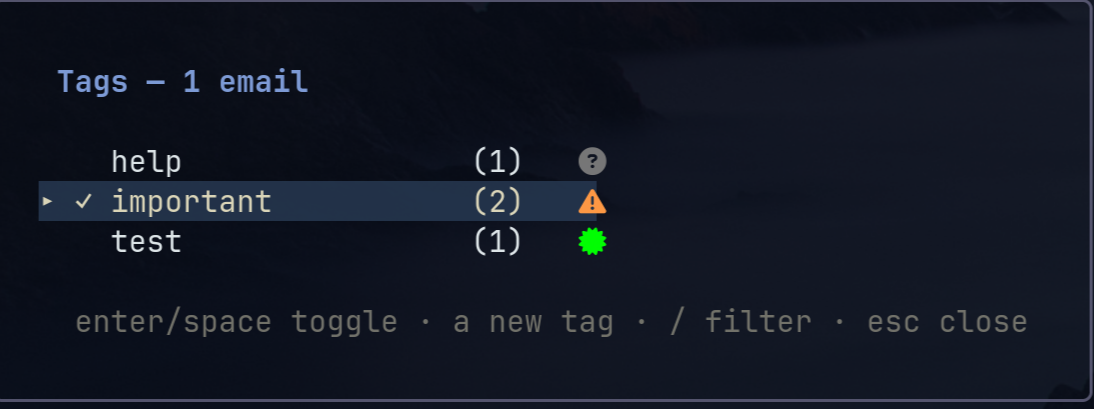
m), press<space>t, thena, type the name andenter. That creates the tag and applies it in one step. Next time the tag is in the list: select it and pressenterto toggle it (✓= on every selected email,~= on some).<space>tagain oresccloses the picker. - Filter the list by tag. In the picker,
ftoggles the highlighted tag into the list filter andFclears it; close the picker and only emails carrying any of the active tags remain. The filter is a view mode likezunread-only: it stays on across folders, reloads and Search untilescin the inbox clears it; the footer showstags: work, invoicemeanwhile. - Delete a tag with
D. A tag no email carries disappears at once. A tag in use asksy/n, then removes the keyword from every email in every configured folder of the account on the server — no untagging 100 emails by hand. No undo. - Nothing is automatic. Tags are manual labels per message; sorting by sender is the screener’s job.
The picker — <space>t: enter toggle, a new tag, f/F filter, D delete, / find, <space>t/esc close:
How tags can look
Chips render before the subject. The default needs no special font; the other looks are a few lines of config each (see Tag styling for the TOML):
Nerd-font pills (nerd_pill = true, needs a nerd font):
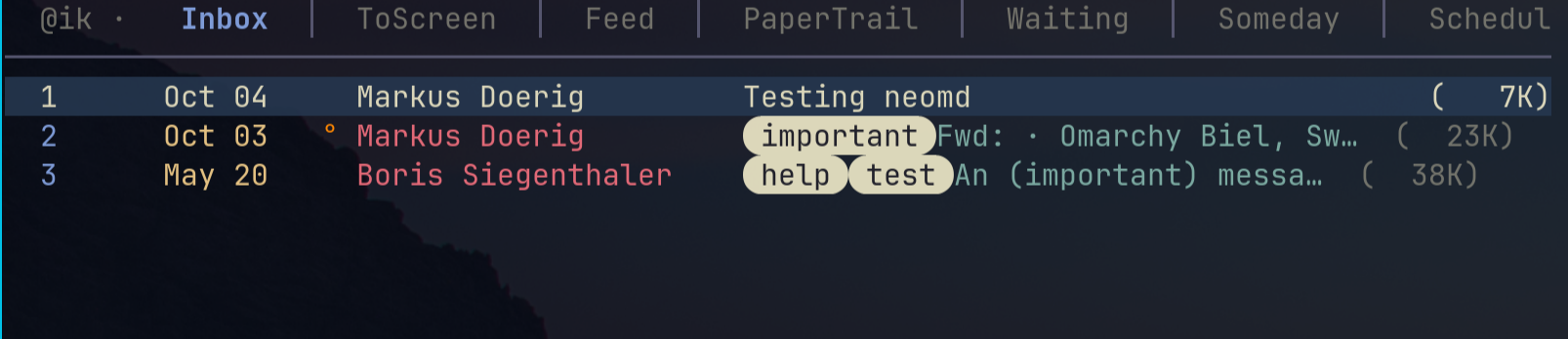
Per-tag display text and colours ([tags.important] with display, fg, bg):

Nerd-font glyphs in the display text:

Compact glyph-only (glyph display, bg = "none", or mono = true for one quiet colour):

Private Notes
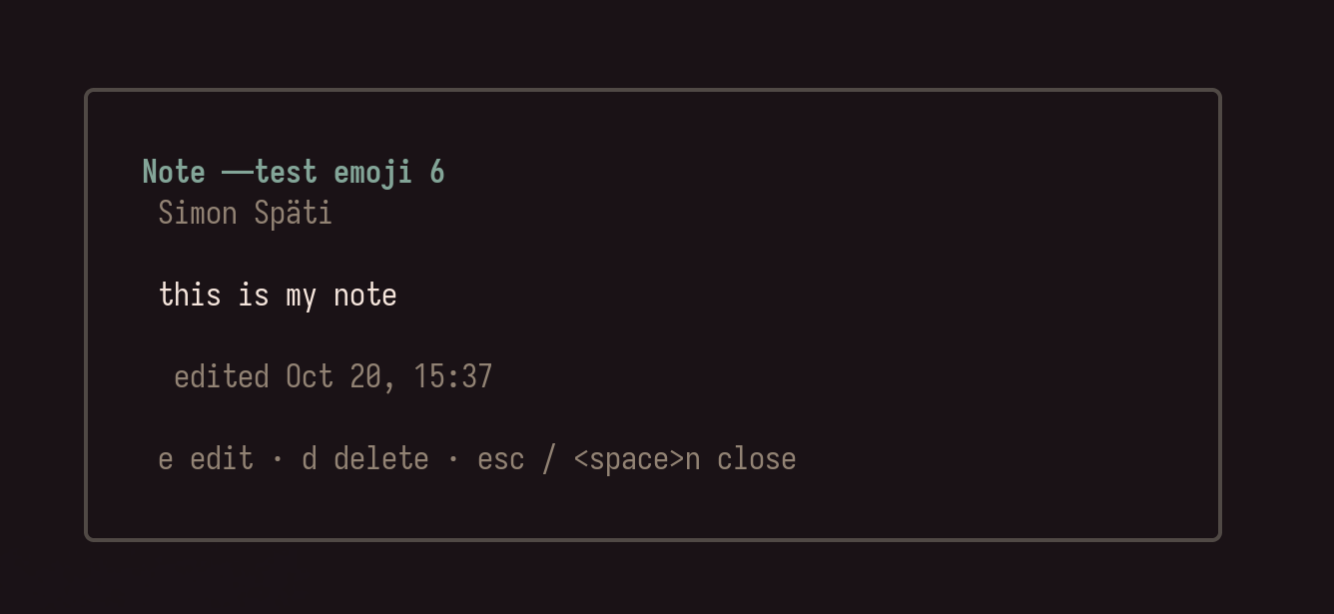
A note is a private comment on one email — “have replied”, “this is the book email”, a phone number from the call — the way HEY’s thread notes work. Nobody but you sees it, it is never sent, and it follows the email across machines.
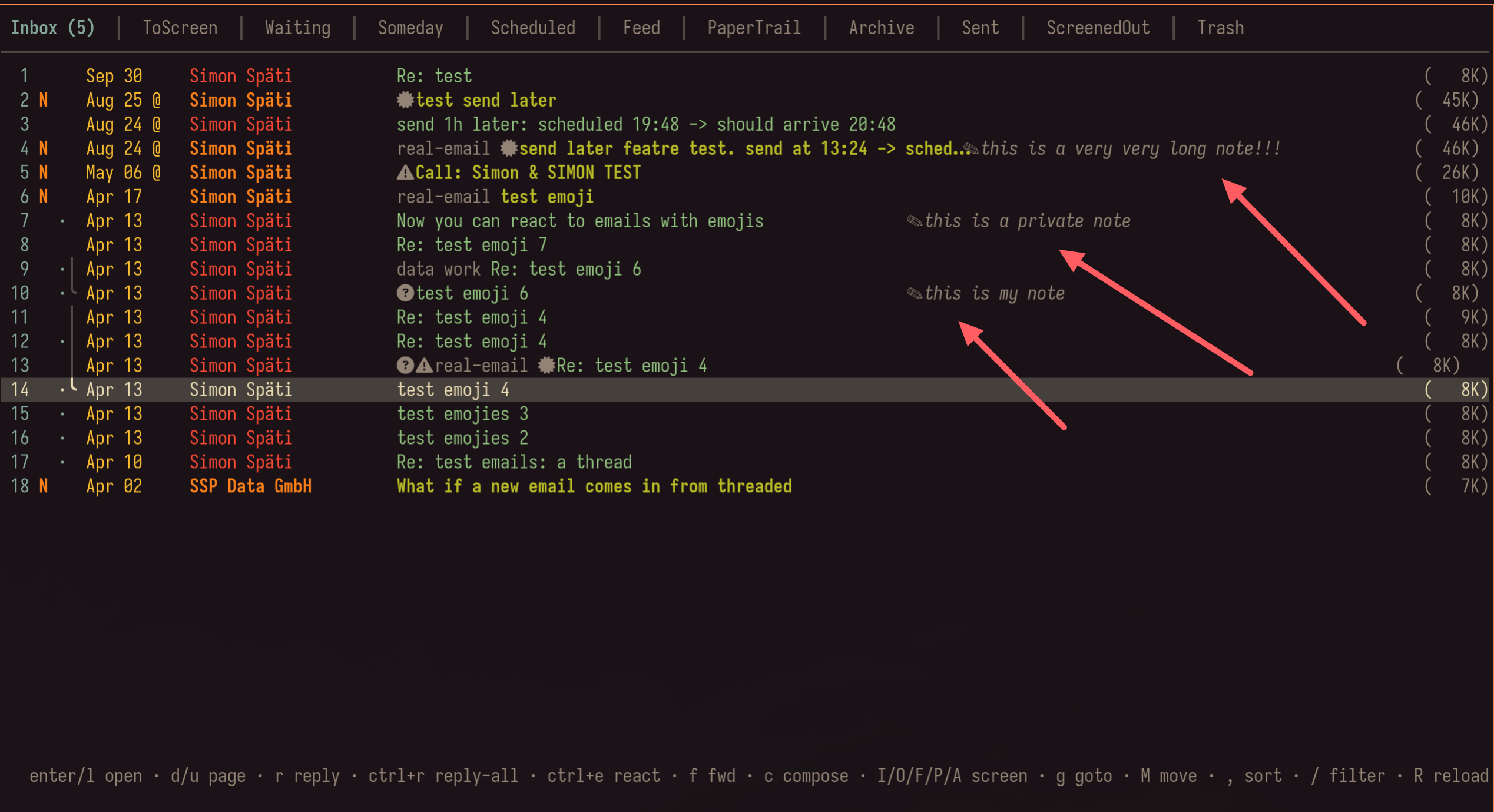
<space>non the cursor email (inbox) or the open email (reader) opens the note popup: the full note, or “no note yet”.e(orenter) opens the note in$EDITORas a plain Markdown file — any length, any lines. Save and quit: the note is stored. Empty the file to delete the note, or pressdin the popup.<space>nagain oresccloses the popup, the same way<space>tcloses the tag picker.- In the list the first line of the note shows muted after the subject, marked
✎— rows stay one line high, and the snippet never takes more than half of the subject column. In the reader the whole note sits in the header as aNote:block, under the date. - The email itself is never touched. Each note is a tiny message of its own in a dedicated IMAP folder (
neomd/Notesby default) that points at the email’s Message-ID — no re-upload, no new UID, no flag change, so threading, undo and other clients are unaffected. Editing a note replaces that note message only. This works on every IMAP server (Gmail, Dovecot, Proton Bridge …); the ANNOTATE extension that was designed for per-message comments is only implemented by Cyrus. Details and the[notes]block: configuration. - Notes are per email, not per thread:
<space>non a reply does not show the note of the original.
Editing a note
e in the popup opens your editor on the note text — Markdown, as many lines as you like. Save and quit; the first line appears in the list and the whole note in the reader right away, the server copy is written behind the list: